遊戲操作區
遊戲介紹
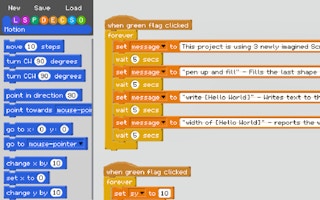
沉浸在 Scratch 模擬器充滿活力的程式世界中,這裡創意與互動完美融合。使用拖放介面編寫腳本,釋放你的想像力,並磨練你的問題解決技巧。無論你是新手還是經驗豐富的編程者,這都是一個充滿樂趣的工具,能激發創新和程式探索。
Dive into the vibrant world of coding with Scratch Emulator, where creativity meets interactivity. Assemble scripts using a drag-and-drop interface, test your imagination, and refine your problem-solving skills. Perfect for both newbies and seasoned coders, it's a playful tool for inspiring innovation and coding exploration.
遊戲說明
操作方式
橫向畫面,建議以滑鼠或觸控板操作,點擊遊戲區域即可開始。
遊戲玩法
詳細玩法請參考上方「遊戲介紹」文字說明與遊戲畫面中的教學提示。
小提醒
可全螢幕遊玩;若畫面無法載入,請點「重新載入」重啟。