遊戲操作區
遊戲介紹
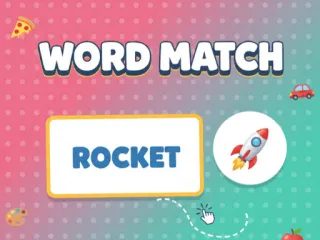
「單字配對:物品篇」是一款輕巧、支援手機瀏覽的 HTML5 益智遊戲,專為小朋友學習與遊玩所設計。遊戲採用直覺的拖放操作,玩家要把英文單字拖到對應的表情符號上完成配對。
Word Match - Objects Edition is a lightweight, mobile-responsive HTML5 puzzle game designed specifically for children to learn and play. The game uses an intuitive drag-and-drop mechanic where players match English words to their corresponding emojis.
遊戲說明
官方遊戲說明
觸控螢幕(手機、平板):按住單字卡,拖曳到對應的表情符號目標上放開即可配對。滑鼠(PC 桌機):用滑鼠左鍵按住單字,將游標移到正確的表情符號後放開,就能完成配對。
Touchscreens Mobile Tablet Players press and hold a word card then drag it over to the matching emoji target Mouse PC Desktop Players click and hold the left mouse button on a word move the cursor to the correct emoji and release to match
操作方式
橫向畫面,建議以滑鼠或觸控板操作,點擊遊戲區域即可開始。
遊戲玩法
詳細玩法請參考上方「遊戲介紹」文字說明與遊戲畫面中的教學提示。
小提醒
可全螢幕遊玩;若畫面無法載入,請點「重新載入」重啟。


