遊戲操作區
遊戲介紹
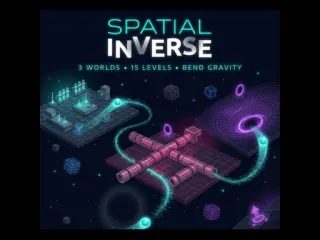
《空間反轉》是一款創新的免費物理益智遊戲,你要操控重力,引導發光的彈珠抵達終點。專為熱愛邏輯思考、腦力激盪與物理模擬的玩家打造,這款 HTML5 瀏覽器遊戲免下載、隨開即玩。遊戲收錄 3 個獨特科幻世界、共 15 個精心設計的關卡,每一關都會逼你重新思考方向、動量與空間的概念。在這個天花板變成地板、牆面變成滑道的宇宙裡,你得策略性地在格子上擺放方塊、彈跳板、傳送門等裝置,接著按下開始,看重力怎麼表演。
Spatial Inverse is an innovative, free-to-play physics puzzle game where you manipulate gravity to guide glowing marbles to their goals. Designed for players who love logic games, brain teasers, and physics simulations, this HTML5 browser game offers a seamless, download-free experience. Set across 15 meticulously designed levels in 3 unique sci-fi worlds, every stage forces you to think differently about direction, momentum, and space. In a universe where ceilings become floors and walls become slides, you must strategically place gadgets like blocks, bounce pads, and portals in the grid, then hit Play and watch gravity.
遊戲說明
官方遊戲說明
- 滑鼠右鍵:移除已放置的裝置,或旋轉彈跳板
- 空白鍵:開始/停止模擬
- R 鍵:重新開始目前關卡
- F 鍵:模擬過程中切換快轉速度
- E 鍵
- Left Click Place a selected gadget on the grid interact with UI - Right Click Remove a placed gadget or rotate bounce pads - Spacebar Play Stop simulation - R Key Reset the current level - F Key Toggle Fast-Forward speed during simulation - E
操作方式
橫向畫面,建議以滑鼠或觸控板操作,點擊遊戲區域即可開始。
遊戲玩法
詳細玩法請參考上方「遊戲介紹」文字說明與遊戲畫面中的教學提示。
小提醒
可全螢幕遊玩;若畫面無法載入,請點「重新載入」重啟。


