遊戲操作區
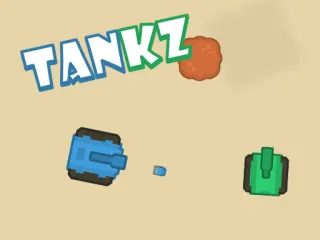
遊戲介紹
觸控操作:點擊藍色按鈕射擊藍色坦克,點擊綠色按鈕射擊綠色坦克。鍵盤操作:按下 (A) 鍵射擊藍色坦克,按下 (D) 鍵射擊綠色坦克。
Touch Control : Tap on the Blue Button to Shoot the Blue Tanks Tap on the Green Button to Shoot the Green Tanks keyboard control : press on (A) button to Shoot the Blue Tanks press on (D) button to Shoot the Green Tanks
遊戲說明
官方遊戲說明
使用鍵盤操作或點擊螢幕即可遊玩
Keyboard or Tap to play
操作方式
直向畫面,建議以觸控操作,點擊遊戲區域即可開始。
遊戲玩法
詳細玩法請參考上方「遊戲介紹」文字說明與遊戲畫面中的教學提示。
小提醒
可全螢幕遊玩;若畫面無法載入,請點「重新載入」重啟。